I have been using Omarchy for the last seven days on my main workstation PC, switching from Windows 11. I won’t been switching back for the time being.
My Initial Perceptions of “Linux on the Desktop”
My perception of Linux up until the last two weeks was that it was really only useful for servers, where the stability of the Linux kernel is a requirement to keep services up with as high uptime as you can possible achieve.
As a desktop operating system though, for a computer that I watch YouTube videos and game on, I maintained a pretty pessimistic view.
That isn’t to say that I never gave Linux a fair chance though. Using virtual machines on Hyper-V, Virtualbox, and whatever virtualization software I can find on Windows, I have used an assortment of distributions from Ubuntu, Fedora, Vanilla Arch, Zorin OS, and Cachy OS across multiple desktop enviroments including GNOME, KDE Plasma, XFCE, and whatever the hell Zorin uses. None of them even got me close to switching to Linux.
Most of the Linux distributions I used always looked extremely unpolished, which I attributed to them not being funded by trillion-dollar companies with enough capital to hire teams of UI designers.
I don’t mean to complain about KDE Plasma specifically, their desktop enviroment is one of the better Linux desktop enviroments I have used, but looking closer:
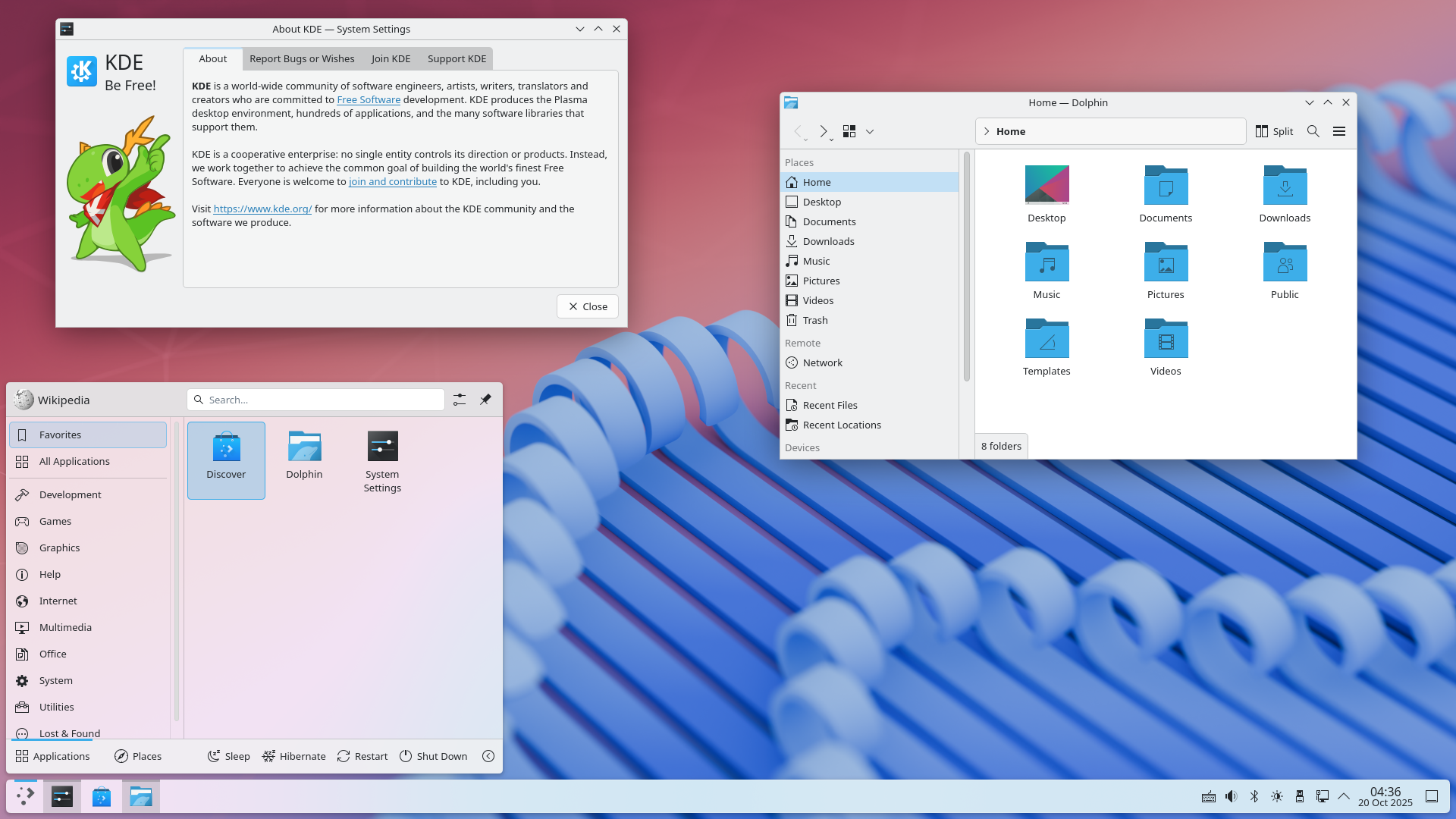 KDE Plasma seems to want to become Windows, yet usually attempting to imitate someone else (especially in software) never ends well.
In my eyes, KDE Plasma just ends up looking like a TEMU version of Windows. The icons, in my opinion, are seriously lacking for a modern desktop environment in 2026. Why should I switch to Linux just to get an operating system that imitates the same OS I just switched away from?
That is to say, my main blocker for switching to Linux is that the desktop environment was never even close to competiting with Windows in terms of aesthetics, functionality, and attention to detail. The lack of a decent open source desktop enviroment never stopped anyone from using Linux though, as Linux still remains the OS for servers and as the backbone for other trillion dollar companies to build on top of. Android and ChromeOS are the two that are the most memorable to me.
My First Impressions of Omarchy
The first time I heard about Omarchy, I knew vaguely that it was some Arch Linux distribution made by DHH, the person who made a web framework called Ruby on Rails (which powers many top websites including GitHub). I was curious, visited their website, looked at the (honestly) pretty ugly picture of Omarchy, and then just was not interested at all in it.
This was before the latest major update to Omarchy Quattro (4). After using the new and improved Omarchy 4 for the last seven days, the website seriously undersells how good this operating system less than three minutes of configuration.
What reminded me of this operating system was NetworkChuck’s video about Omarchy 4. The one idea that he mentioned in the video that made me switch was a pretty simple fact about the technology industry in 2026. Here is my rough paraphrased take on it.
AI Agents are powerful enough such that you can just ask an AI agent of your choosing to configure the operating system for you. You don’t need to spend hundreds of hours configuring your computer anymore.
They cite this as one of the main reasons why 2026 is the “Year of the Linux Desktop” and it does make sense. After using Omarchy for a week though, I find that after the initial configuration, I never really needed to use my AI agent for much, since the operating system is polished and put together enough to stand with minimal AI assistance. I appreciate how integrated the AI agents are with the operating system when I need it though, as Omarchy has a Claude skill that proves extremely useful when I need it to fix anything with the core operating system itself.
My First Day
QOL Improvements
If you do decide to switch, here are some QOL improvements for Omarchy that might aid you in your quest.
Essential
Fix Sleep/Lock:
omarchy plugin add https://github.com/dsnsgithub/omarchy-lock-fix
omarchy restart shell
Worth It
Remove Chrome Managed Policies
Install Google Chrome (Super + Space, Install > Browser), delete Chromium (Super + Space, Remove > Browser). Then clean out any managed policies (creates weird Chrome themes, locks secure DNS for some reason)
sudo rm -rf /etc/opt/chrome/policies/managed
sudo rm -rf /etc/opt/chrome/policies/recommended
Change Chrome Font (to make it look good on Linux)
# REMOVE CHROME MANAGED POLICIES + add INTER FONT FIRST!!!:  `inter-font` (Super + Space, Install > Package)
gsettings set org.gnome.desktop.interface font-name "Inter 10"
gsettings set org.gnome.desktop.interface monospace-font-name "JetBrainsMono Nerd Font 11"
pkill -f chrome
Optional
Disable Mouse Acceleration
nvim ~/.config/hypr/input.lua
Uncomment Line 26.
26 │ accel_profile = "flat",Setup Windows Hello Facial Recognition (Gaze)
Install Gaze for Windows Hello style authentication with liveness detection.
yay -S --needed gaze-bin
sudo pacman -S --needed gst-plugins-good gst-plugins-base
sudo systemctl enable --now gazed
Edit /etc/gaze/config.toml and set security preferences.
sudo systemctl restart gazed
gaze doctor
gaze add-face default
gaze list-faces
Add to the top of /etc/pam.d/omarchy-lock-password (under the comment).
auth sufficient pam_gaze.soKirby Theme
omarchy-theme-install https://github.com/dsnsgithub/omarchy-kirby-themeIf the Menu Bar is not transparent, toggle Transparency under Super + Space, Style > Menu Bar > Transparency. Right click the time in the Menu Bar until it matches the one shown in the picture or the one you prefer.